Vid-matè All Video Downloader
- 3.9
- Rating
- 1.00M
- Installs
- Free
- Price

 Analysis by App-foxy
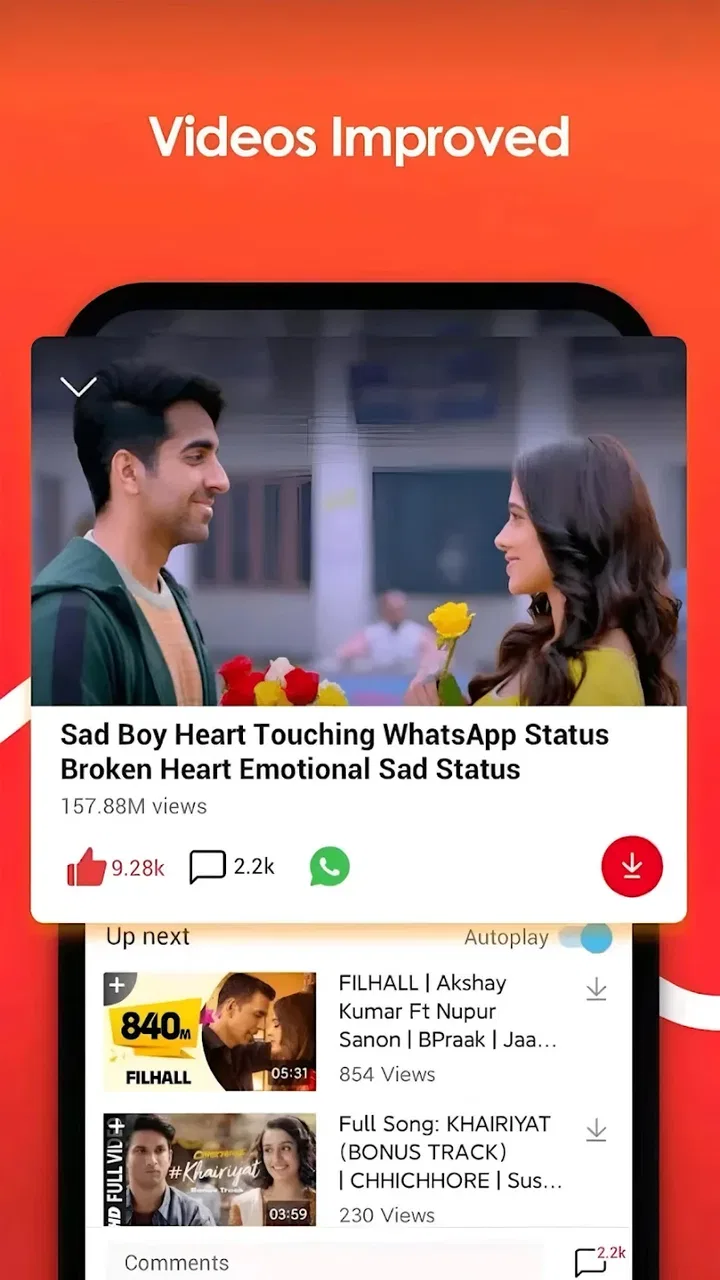
I spent time with Vid-matè All Video Downloader as a video utility built around one clear promise: helping me save videos from social sites for later viewing. That narrow focus is also the app’s main appeal. Instead of presenting itself as a full editing suite or a general media center, it aims to make the step between finding an online clip and keeping a copy of it feel more direct.
That makes it interesting for people who regularly come across useful tutorials, reference clips, short entertainment videos, or personal posts they want available away from a live feed. In my experience, the value is less about discovering content and more about changing how I handle something I have already found. I can decide what deserves a place on my device rather than relying on a platform’s feed, search system, or temporary availability.
The app is free, is suitable for Everyone, and belongs to the Video Players & Editors category. Downgiga is the developer behind it. Its current version is 7.0.3, and it runs on Android 7.0 or newer, which keeps it accessible to many older Android devices as well as recent phones.
You May Also Like

 Blood Strike: 2.5 Anniversary
Blood Strike’s Loadouts Turn Every Drop Into a Tactical Gamble
A close look at Blood Strike’s custom loadouts: how fast access to signature weapons reshapes its battle royale rhythm, rewards preparation, and narrows the gap between fights.

 Pandora - Music & Podcasts
Pandora’s Music Is Easy to Start, but Harder to Recover
Pandora’s strength is its low-effort path from a seed to a station. Its weak spot is how much confidence it asks you to place in connection, setup, and quiet recovery.

 8 Ball Pool
 Is Built on Rivalries, Rematches, and Routine
A close look at the rivalries, rematches, shared routines, and unanswered safety questions that turn a quick pool match into a persistent mobile community.

 Samsung Music
’s Quiet Strength Is Playing What You Already Own
Its reach comes less from spectacle than from dependable access to a personal library. That simplicity is both the app’s strongest retention engine and its ceiling.

 AccuWeather: Weather Radar
AccuWeather Review: A Quick, Clear Forecast for Everyday Decisions
For everyday plans, the best forecast is the one you can understand quickly. AccuWeather makes rain timing, radar, and local conditions easy to act on, with a few trade-offs.

 Hill Climb Racing
Why Hill Climb Racing Still Turns Crashes Into One More Run
A tiny car, a bumpy hill and one more upgrade: Hill Climb Racing keeps resurfacing because its simple chaos makes every near-miss feel personal.
More From Our News Desk



Saving social videos is the whole point
The central capability sounds simple, but it changes the way I use social video. When I save a clip, I can return to it without first opening the original social app and trying to find the same post again. That is useful when a video contains instructions, a recipe, a repair demonstration, a language lesson, or any other information I may need to revisit.
I would not describe this as an all-purpose video editor. The app’s identity is much more practical: it is a downloader designed for videos found on social sites. That distinction matters because someone looking for trimming, captions, transitions, filters, or advanced export controls should not install it expecting a creative workstation. Its strength comes from keeping attention on acquisition rather than production.
There is also a useful difference between saving a video for convenience and treating the app as a replacement for every official viewing option. I see the downloader as a personal organization tool. It can help me keep a reference clip close at hand, but I still need to think about ownership, privacy, and the rules of the platform or creator before saving and sharing anything.
The most important practical benefit is control over access. A social feed is designed for constant movement. A saved file is easier to find when I need one specific piece of information. That shift is especially noticeable with educational clips: rather than scrolling through unrelated posts, I can open the copy I deliberately kept and use it as a reference.
What the focused design means for everyday use
A focused downloader can be more comfortable than a large editing app when the task is only to keep a video. I do not have to think about a timeline, project settings, effects, or publishing tools. The workflow is centered on obtaining the clip, which makes sense for anyone who wants a straightforward utility rather than a creative toolbox.
At the same time, simplicity should not be confused with universal compatibility. Social platforms change their page structures, playback systems, and access rules. A downloader may feel smooth with one source and less predictable with another. I would judge the app by the specific social sites I use most, rather than assuming that the word “all” guarantees identical results everywhere.
That is one of the first questions I would ask before making it part of my routine: does it fit my actual sources? The answer depends on the platforms and videos involved. The store summary presents it as a way to download from social sites, but the real usefulness comes from testing the services that matter to me and seeing whether the workflow remains clear.
How I would approach a download
My preferred approach is deliberate rather than automatic. I first identify the exact video I want, then use the app’s downloader workflow for that specific item instead of collecting clips indiscriminately. This keeps the saved library manageable and makes the tool more useful over time.
I also recommend checking the result after saving it. A downloaded file is only valuable if it plays correctly and is easy to locate later. I would open the video, confirm that the important section is present, and give it a meaningful place in my device’s storage or media collection if the phone allows that kind of organization.
This small verification step is easy to skip, but it prevents a common frustration: assuming a clip is ready for later, only to discover when travelling or studying that it did not save as expected. It also helps me notice whether the source’s quality, sound, or presentation has changed during the process.
Another useful habit is to save only what has a clear purpose. A downloader can make it tempting to keep every interesting clip, but an overcrowded gallery quickly removes the advantage of offline access. I get more value when each saved video answers a need: a planned lesson, a reference for a project, a family memory, or something I want to watch without repeatedly searching.
A realistic scenario: preparing for a disconnected day
Imagine I am preparing for a long train journey and have found several short instructional videos about a skill I am learning. The social app is convenient while I have a connection, but I do not want to depend on a moving feed, weak reception, or repeated searches during the trip. I can use Vid-matè to gather the clips that are genuinely relevant before leaving.
The important part is not merely having videos on the phone. I would review the saved collection beforehand, remove anything unnecessary, and make sure the useful clips are recognizable. That turns the downloader into part of a small preparation workflow: choose, save, check, and organize. The app helps with the saving stage, while my own discipline determines whether the result is convenient.
This scenario also shows the trade-off clearly. If I only need to watch one clip once and already have reliable access to the original platform, downloading may add an unnecessary step. If I expect to revisit several clips or face inconsistent connectivity, the benefit becomes much more convincing.
Where the app fits beside usual alternatives
The most obvious alternative is simply using the social platform’s own viewing features. Official apps may provide bookmarks, watch lists, or other ways to return to a post without creating a separate local copy. Those options are often better when I want to follow the creator, preserve the original context, or avoid managing files on my device.
A local downloader becomes more attractive when my goal is dependable personal access rather than feed-based discovery. I can keep a chosen clip together with other media and avoid relying on a platform’s changing layout. The trade-off is that local storage requires more responsibility: I need to manage space, respect the creator’s rights, and remember that a saved copy may not include the surrounding comments or updates.
Full video editors are another alternative, but they solve a different problem. An editor is the better choice when I need to cut footage, combine clips, add text, or prepare a finished project. Vid-matè is the more sensible choice when I already know which social video I want and do not need to transform it.
Screen recording may appear to be a fallback, but it is usually less elegant for this purpose. It can capture what is visible, yet it may also include interface elements, notifications, or interruptions. A downloader’s intended workflow is cleaner when it works with the source, though the outcome still depends on the particular social site and video.
The friction I noticed in the concept
The first limitation is that downloading is not the same as guaranteed access to every video. Social content can be private, restricted, removed, or governed by rules that prevent straightforward saving. I would not treat the app’s name as a promise that every clip from every service will behave identically.
The second issue is organization. Saving a few videos is easy to understand; saving many creates a library that needs attention. Without a personal naming and cleanup habit, the phone can fill with near-duplicates and clips whose purpose I no longer remember. The app is most useful when I pair it with selective saving rather than using it as an unlimited archive.
Storage is another practical trade-off. Video files can consume space much faster than text or still images, especially when I save material for travel or study. Before downloading a large collection, I would check available room on the device and decide whether the clips are worth keeping locally. This is not a reason to reject the app, but it is a reason to use it intentionally.
Privacy also deserves attention. A downloaded social video may contain someone’s face, voice, location, or personal information. I would keep private material private and avoid forwarding saved clips simply because the file is now on my phone. The convenience of local access should not erase the original context or the creator’s expectations.
There is a further distinction between personal offline viewing and redistribution. If I want to repost, edit, monetize, or send a saved video to a wider audience, I need to consider permission and platform rules. For me, the safest use is keeping content I am entitled to retain for my own reference, not building a secondary publishing library.
Small habits that make the downloader more useful
My first tip is to create a purpose before saving. “I may want this someday” is a weak reason, while “I need this recipe on the weekend” or “I want this tutorial for a trip” gives the file a clear role. That simple filter reduces clutter and makes later retrieval faster.
My second tip is to test one important video before collecting many from the same source. If the first result does not play as expected or is difficult to locate, I would rather discover that immediately than repeat the process with a whole batch. This is especially sensible because social platforms do not all handle video in the same way.
My third tip is to review saved clips after the event that motivated them. Once the journey, lesson, or project is finished, I can delete material that no longer helps. That keeps the app’s main benefit—quick access to selected videos—from turning into a storage problem.
A fourth useful habit is to keep the original source in mind. When a clip is important, I would note where it came from or save enough context to identify the creator later. A local file is convenient, but the original post may contain corrections, updated instructions, or attribution that the isolated video does not preserve.
Who will get the most from it?
I think the strongest audience is people who repeatedly use social video as a reference. Students, travellers, hobbyists, home cooks, and anyone collecting short how-to material can benefit when they need selected clips available beyond the normal feed. The app’s focused purpose makes sense for these users because their problem is access, not editing.
It may also suit someone with an older Android phone. The minimum operating system is Android 7.0, so the app is not limited to only the newest devices. That does not tell me how every individual phone will perform, but it does make the compatibility range more welcoming for users who are not upgrading frequently.
The app has reached over a million installs and holds a 3.9 average from around ten thousand ratings. I read that as evidence of meaningful interest, but not as a guarantee that every workflow will be smooth for every person. A rating in that range suggests I should approach it with realistic expectations and test it against my own sources.
I would skip it if I mainly want a polished editor, a streaming subscription, a creator-focused publishing tool, or a way to preserve every social post with all its original context. I would also think twice if I rarely need offline copies, because the extra storage and file management may not justify the benefit.
My conclusion after using the focused approach
Vid-matè All Video Downloader is most convincing when I treat it as a practical bridge between social discovery and personal offline reference. It does not need to be an elaborate media suite to be useful. Its value comes from helping me keep chosen videos close, especially when returning to the original feed would be inconvenient.
The free price lowers the barrier to trying it, and the Everyone age rating makes its intended audience broad. Still, I would use it thoughtfully: test the social sources I rely on, verify important downloads, watch storage, and respect the rights and privacy connected to each clip.
My recommendation is therefore specific rather than universal. If you regularly find social videos that you genuinely need to revisit, this app is worth trying as a focused downloader. If your needs are mainly editing, publishing, or official platform-based bookmarking, the usual alternatives may suit you better. For the right user, the simple capability is enough to make everyday video access less dependent on a constantly changing social feed.
FAQs for Vid-matè All Video Downloader
01What video formats does Vid-matè support for downloading?
Vid-matè All Video Downloader supports a wide range of video formats, including MP4, AVI, FLV, and MKV. This flexibility allows users to download videos in their preferred format, ensuring compatibility with various devices and media players. Before downloading, you can select the format that best suits your needs.
02Is Vid-matè safe to use for downloading videos?
Vid-matè is generally considered safe to use if downloaded from reputable sources. However, users should always exercise caution and ensure that their antivirus software is up-to-date. It's also important to be aware of any permissions the app requests during installation to avoid potential security risks.
03Can I download videos from all websites using Vid-matè?
Vid-matè supports downloading from a multitude of popular websites, but not all. Some platforms may have restrictions or protections against downloading content. It's important to check the app's supported site list to ensure compatibility. Additionally, always respect copyright laws and platform terms when downloading videos.
04Does Vid-matè have any in-app purchase options or subscription fees?
Vid-matè offers its core features for free, but there may be in-app purchase options to enhance the user experience, such as ad removal or access to premium features. It's advisable to review any potential costs beforehand to avoid unexpected charges after installation.
05How user-friendly is Vid-matè for beginners?
Vid-matè is designed with a user-friendly interface that is easy to navigate, even for beginners. The app provides step-by-step guidance for downloading videos, making it accessible for users with varying levels of technical expertise. Additionally, customer support and tutorials can further assist users who encounter any issues.
Pros
- Easy-to-use interface for quick downloads.
- Supports multiple video formats seamlessly.
- Fast download speeds even for large files.
- Background downloading without interruption.
- Allows batch downloads for efficiency.
Cons
- Contains ads that may disrupt user experience.
- Limited support for streaming platform links.
- No built-in media player for instant viewing.
- Potential security risks from third-party sources.
- Requires frequent updates for optimal performance.

Vid-matè All Video Downloader
Gallery